
70 lines
1.6 KiB
Markdown
70 lines
1.6 KiB
Markdown
<div align="center">
|
|
<a href="https://github.com/kangfenmao/cherry-studio/releases">
|
|
<img src="https://github.com/user-attachments/assets/7b4f2f78-5cbe-4be8-9aec-f98d8405a505" alt="banner"/>
|
|
</a>
|
|
English / <a href="./docs/README_zh.md>中文</a>
|
|
</div>
|
|
|
|
# 🍒 Cherry Studio
|
|
|
|
Cherry Studio is a desktop client that supports for multiple LLM providers, available on Windows, Mac and Linux.
|
|
|
|
# 🌠 Screenshot
|
|
|
|

|
|
|
|

|
|
|
|

|
|
|
|
# 🌟 Features
|
|
|
|
1. Support for Multiple LLM Providers.
|
|
2. Allows creation of multiple Assistants.
|
|
3. Enables creation of multiple topics.
|
|
4. Allows using multiple models to answer questions in the same conversation.
|
|
5. Supports drag-and-drop sorting.
|
|
6. Code highlighting.
|
|
7. Mermaid chart
|
|
|
|
# 🖥️ Develop
|
|
|
|
## Recommended IDE Setup
|
|
|
|
- [VSCode](https://code.visualstudio.com/) + [ESLint](https://marketplace.visualstudio.com/items?itemName=dbaeumer.vscode-eslint) + [Prettier](https://marketplace.visualstudio.com/items?itemName=esbenp.prettier-vscode)
|
|
|
|
## Project Setup
|
|
|
|
### Install
|
|
|
|
```bash
|
|
$ yarn
|
|
```
|
|
|
|
### Development
|
|
|
|
```bash
|
|
$ yarn dev
|
|
```
|
|
|
|
### Build
|
|
|
|
```bash
|
|
# For windows
|
|
$ yarn build:win
|
|
|
|
# For macOS
|
|
$ yarn build:mac
|
|
|
|
# For Linux
|
|
$ yarn build:linux
|
|
```
|
|
|
|
# ⭐️ Star History
|
|
|
|
[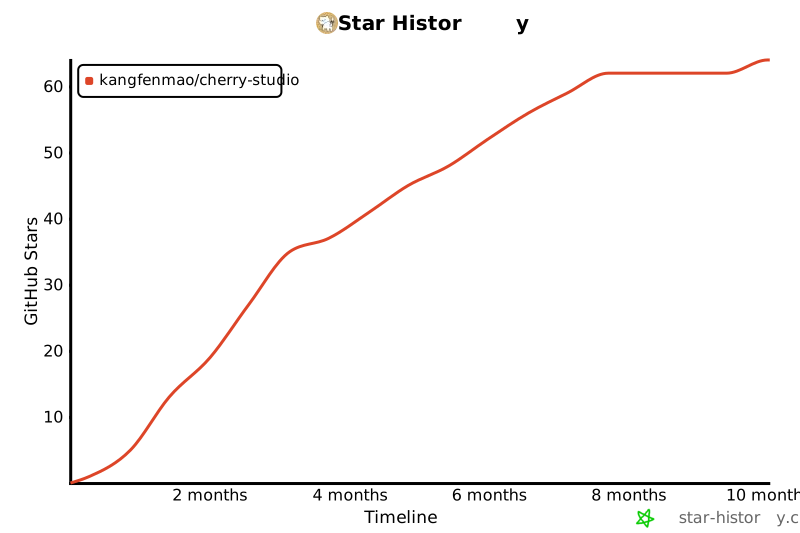](https://star-history.com/#kangfenmao/cherry-studio&Timeline)
|
|
|
|
# 📃 License
|
|
|
|
[LICENSE](./LICENSE)
|